 Get it on Google Play
Stock
Every sale takes the item off your stock, and every delivery you add puts it back. ShopApp shows what each item cost you and what's running low, and sells by the piece or by weight.
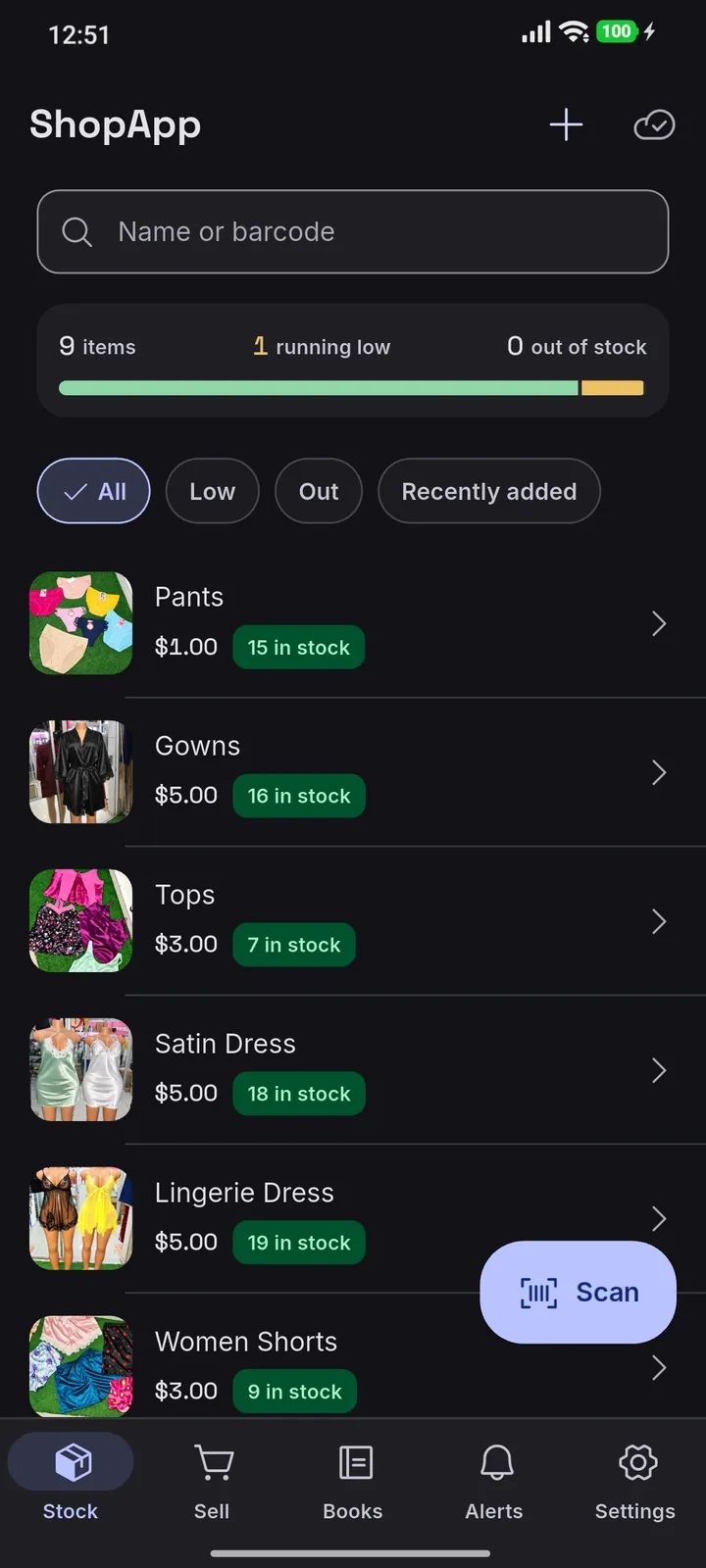
You don't have to write every sale in a counter book and add it all up in your head to know how your shop is doing.
And most point of sale systems mean buying a computer, a scanner and a receipt printer, then paying someone to set them up.
ShopApp does it all on the phone you already have. It records your sales, keeps count of your stock, works out your profit and gives your shop its own online store.
 AddSingle Night Dress$5.00Details
 AddApple MacBook Air 13in$800.00Details
 In your order2Hullets Brown Sugar$2.80Details
 AddPlastic Laundry Basket$3.00Details
 AddBali Premium Sofa$650.00Details
 AddCabbage Head$1.00Details
Customers open your shop's own page and see your items with their photos and prices, in stock today and at today's price. They send you their order on WhatsApp.
You choose what is listed. Nothing about your sales, your stock levels or your costs is ever shown.
Browse the shopsEvery sale takes the item off your stock, and every delivery you add puts it back. ShopApp shows what each item cost you and what's running low, and sells by the piece or by weight.
14 items6 running low0 out of stock
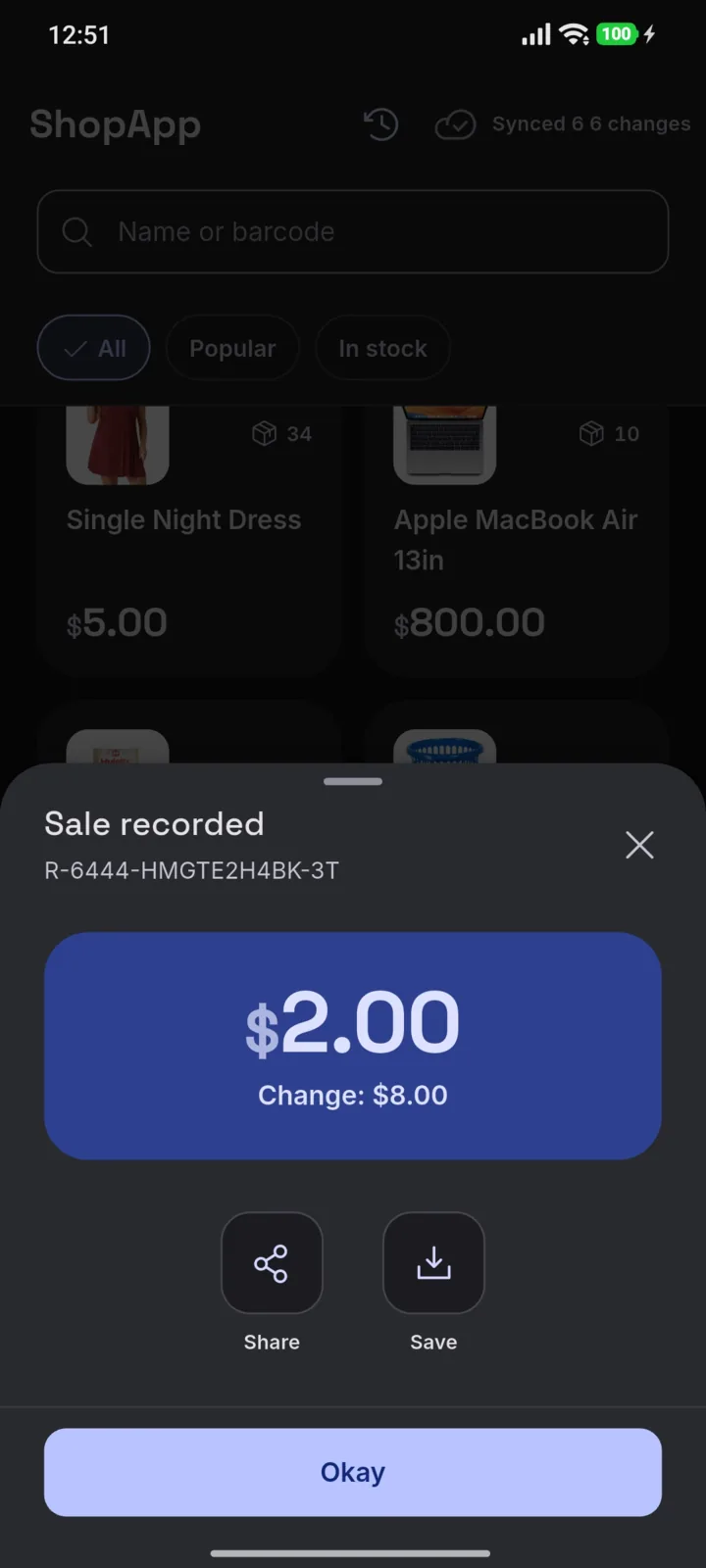
Single Night Dress$5.0034 in stockHullets Brown Sugar$2.809 leftCabbage Head$1.0064 in stockScan a barcode with the phone's camera or tap the item. ShopApp works out the change and makes a receipt you can share on WhatsApp or print. It can make a barcode for anything that has none, and you can sell on credit and see who owes you what.
Take payment
Payment method
CashEcoCashSwipe
Amount tendered
USD10.00
Change
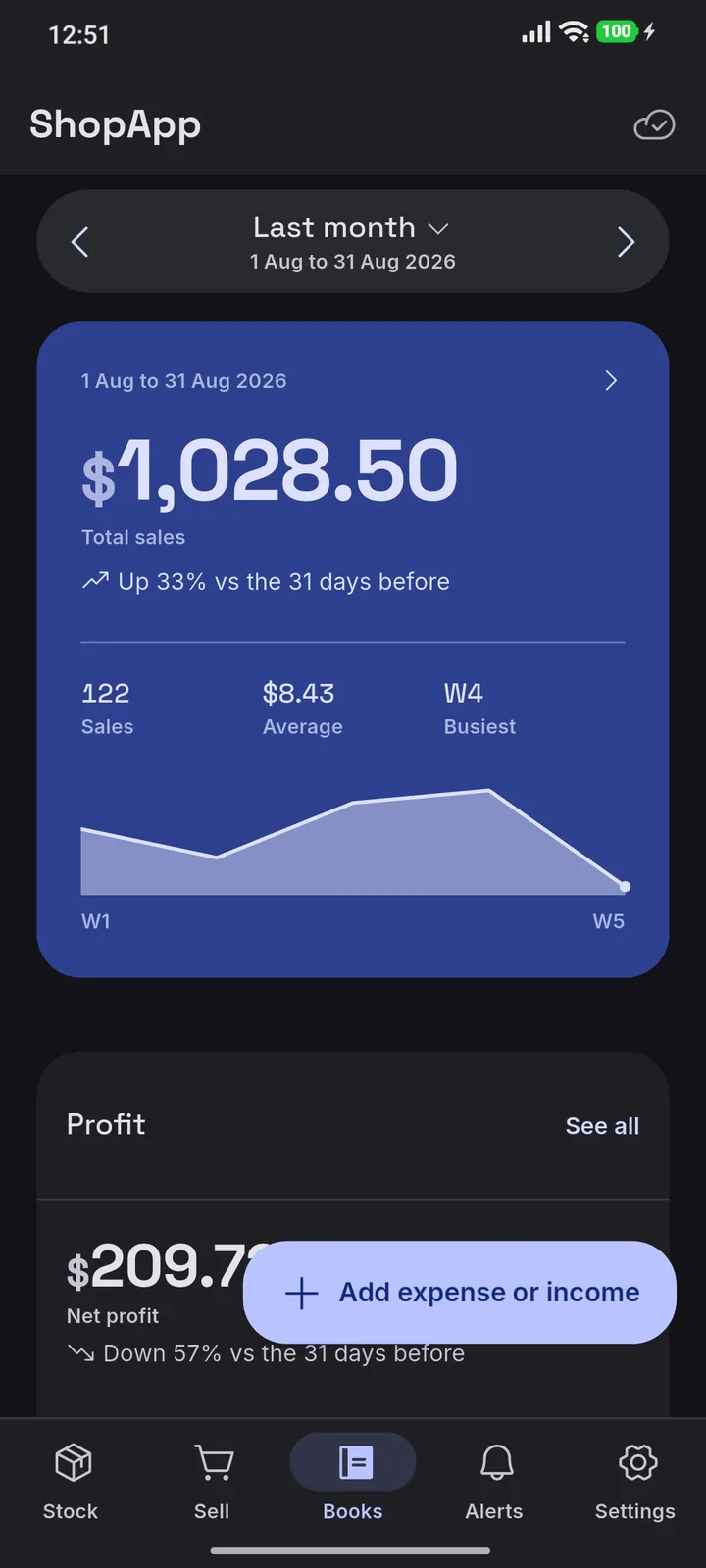
Books adds up your sales, what they cost you and your expenses, and shows your profit for any day, week or month. See which items sell best and how this month compares with the last.
1 Aug to 31 Aug 2026
Total sales
Up 33% vs the 31 days before
ProfitSee all
Net profit
ShopApp gives your shop its own website, at a web address you choose. Show every item in stock or only the ones you pick. When an order arrives on WhatsApp, tap its link and ShopApp has the items ready for you to record the sale. It costs nothing extra.
Online storeOnline
When the network drops, keep selling. Every sale saves on your phone first and goes up when you're back online. Only what changed is sent, so it uses little data.
Sync
A shop gets 6 people, you included, so you can add 5 shop assistants, each on their own phone. You choose what each one can do, and a shop assistant sees only their own sales, never your expenses. You get an alert when they record a sale or update stock. Need more? We can raise the limit.
People3 of 6 people
$8a month
Free for your first 30 days.
Get startedUse it for as long as you like, and stop whenever you like.
Sales, stock, profit, selling on credit and invoices.
Keep selling with no signal. It syncs when you're back online.
You and your staff, each on up to 4 phones or computers at once.
Customers see what you sell and order on WhatsApp.
Message us whenever you need help.
New features come to the app at no extra cost.
Use it on your phone, your computer, or both. They keep the same shop, synced.
Windows 10 and 11, 64-bit
Add stock, count it and read your books on a bigger screen.
Ubuntu, Fedora, Mint and other 64-bit desktops
The same app as on Windows, for a computer that runs Linux.
Android phones and tablets
Sell and scan barcodes with the camera, wherever you work. Your staff can use their own phones.
Windows 10 and 11, 64-bit
No. Every sale saves on the phone first, then syncs when you're back online. You can sell all day with no signal.
Android phones and tablets, from Google Play, and Windows and Linux computers, from this page. Each person can be signed in on up to 4 phones or computers at once, and they all stay synced up.
No, the phone camera reads barcodes. An item can carry as many codes as it needs, and ShopApp creates one for anything that has none.
US dollars, ZiG, rand, pula or kwacha. Your shop keeps all its figures in one of them, and a shop admin can switch to another in Settings: type the rate and every price, cost and sale is converted.
Every sale makes a receipt. Share it on WhatsApp, save it to the gallery, or print it.
Yes. A shop admin can set up an online store in Settings, at a web address under shopapp.biz that you choose. Your customers browse your items there and send you their order on WhatsApp. No money moves through it: you record the sale and take payment as you always do.
ShopApp is not a ZIMRA fiscal device and does not issue fiscal tax invoices. It is not accounting or financial software, so it does not replace your accountant or your tax records. It is not a banking or payments system either: it records how a customer paid, but no money moves through it.
You can download all your shop's data to spreadsheets from the app or at https://accounts.shopapp.biz, and delete your account at https://accounts.shopapp.biz. A shop admin can delete the whole shop from the app.
Tell us about your shop and how you sell.
A ShopApp agent creates your shop and gives you a username and a six-digit code.
482 913, an example of the code
Install ShopApp on your phone or computer, enter the code, and put your first items in.
© 2026 ShopApp